
How to Update Your Portal Password
Updated 7 months Ago
To help ensure the security of your account, we recommend that you regularly update the login password for your FP Markets Client Portal.
Procedure
Step 1: Log in to the Client Portal
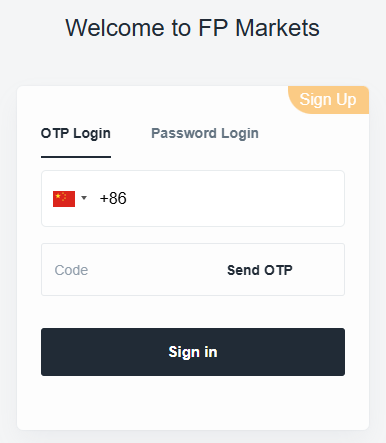
Please visit the Client Portal and log in. You may access your account using either of the following methods:
- Log in with your verified mobile phone number and a verification code
- Log in with your registered email address and password
Step 2: Change Your Password

- Navigate to the “Profile” page. In the “Account Settings” menu on the right-hand side, click the red link “Change Password.”

- Enter your current password and new password in the respective fields.
- Click “Save” to complete the process.
Important Notes
- It is recommended that you change your password regularly to enhance account security.
- Do not share your password with others, and avoid using overly simple passwords.