
Negative Balance Reset
The Negative Balance Protection (NBP) mechanism is designed to protect traders from losses that exceed their deposited funds.
How Does Negative Balance Protection Work?
For example, a trader deposits $100 and decides to open a position using high leverage. Unfortunately, due to extreme market volatility, prices drop sharply and the position is forcefully liquidated. As a result, the initial $100 deposit is fully depleted, and due to the leverage effect, the account balance becomes –$20.
In this situation, without negative balance protection, the trader would be required to repay the $20 owed to the broker.
However, with Negative Balance Protection, the trader’s maximum possible loss is limited to the original deposit of $100. The account balance will be reset to zero, and the trader will not be liable for the negative balance.
Therefore, trading with a broker that provides Negative Balance Protection can significantly reduce your risk exposure and ensures that your losses will never exceed your account balance.
How to Apply for a Negative Balance Reset
Step 1: Log in to the Client Portal
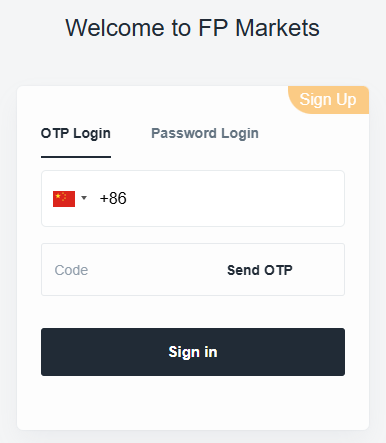
Please visit the Client Portal and log in using one of the following methods:
- Your registered email address and password
- Your verified mobile number and verification code, or
Step 2: Go to the Account Page

- Click:Dashboard → Live Accounts
- Click “Apply for Reset” to submit your request.
Processing Time:
Requests are typically processed within one business day.
If you require further assistance, please contact our Customer Support Team through the chat icon in the bottom-right corner of the page.
Related Articles
- Account Registration
- How to Log in to the Client Portal
- How to Upload Identification Documents
- How to Upload Proof of Address
- Document Requirements
- How to Bind a Mobile Number
- How to Add a Demo Trading Account
- How to Open a Corporate Account
- Account Automatic Archiving Policy
- How to Adjust Trading Leverage
- How to Reactivate an Archived Account
- How to Close Your Account
- How to Add an Additional Account